How to Redact a PDF Properly (and Why Black Boxes Aren't Enough)
Updated · 2 min read
Before you share a bank statement, a court document or an invoice, you may need to hide names, account numbers or addresses. The obvious way is to draw black boxes over them. In most cases that doesn't work, and the hidden text can be read by anyone who receives the file.
Open Redact PDFFree, no sign-up. Your file stays on your device.
The black box problem
When you draw a black rectangle in Word, in a PDF editor or with a highlighter tool, the box sits on top of the text. The text is still in the file underneath. Anyone can select it, copy it, paste it somewhere else, or find it with search.
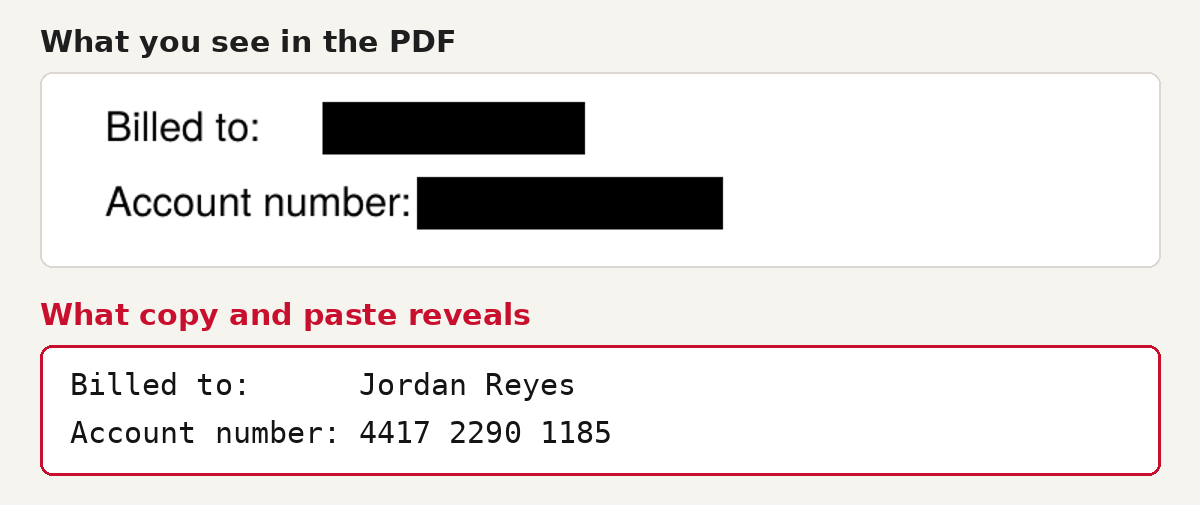
This has caught out professionals too. In January 2019, lawyers for Paul Manafort filed a court document with black boxes over sensitive passages. Reporters copied the "hidden" text into another document and published it the same day.
How to redact a PDF so the text is really gone
- Open Redact PDF and choose your file.
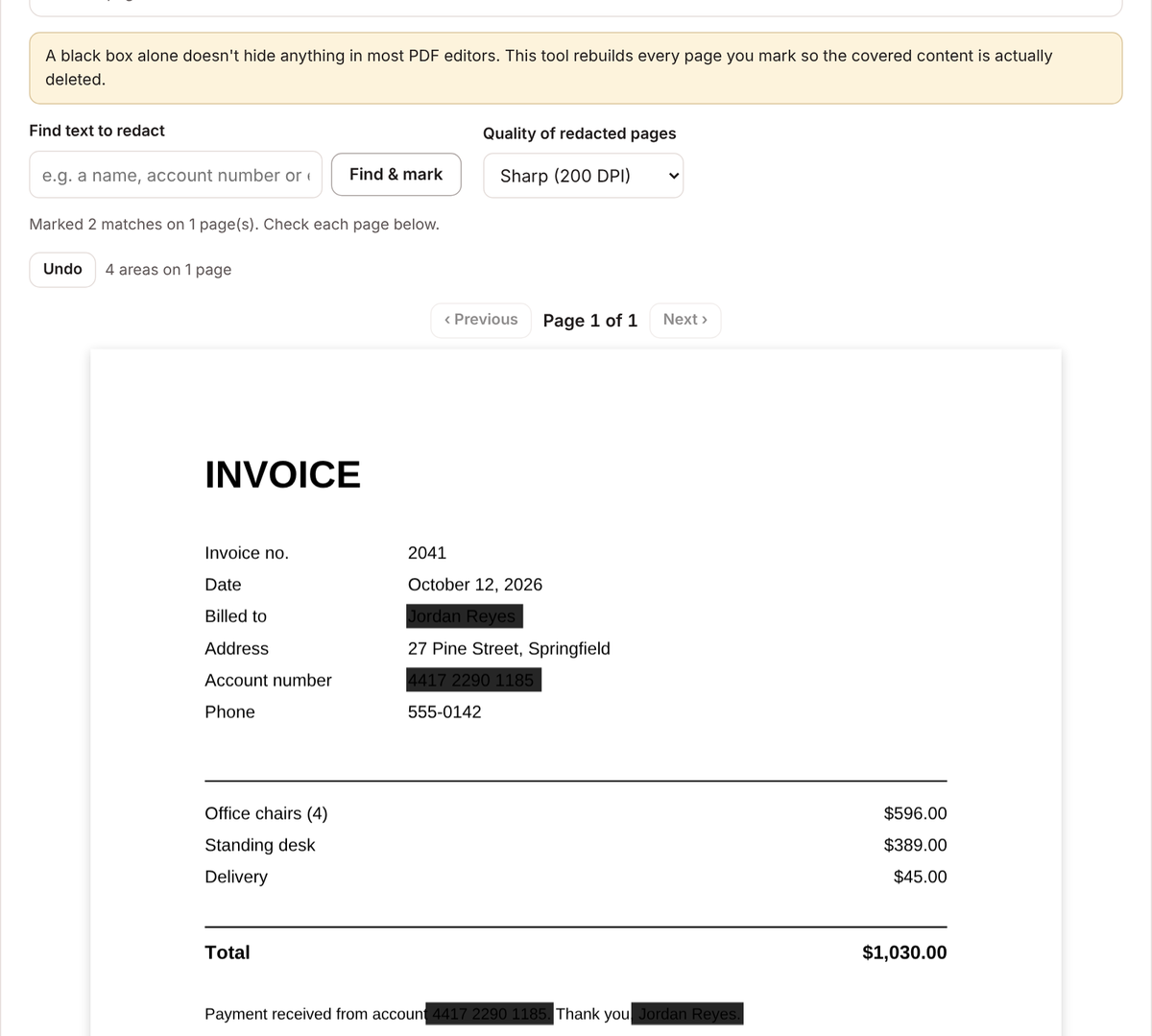
- Type a word, name or number into Find text to redact and click Find & mark. Every match in the document is marked. Repeat for each thing you want to hide.
- To hide something the search can't find, like a signature, a photo or part of a scanned page, drag a box over it by hand.
- Go through every page and check the black boxes cover everything they should.
- Click Redact permanently and download the new file.
What the tool does differently
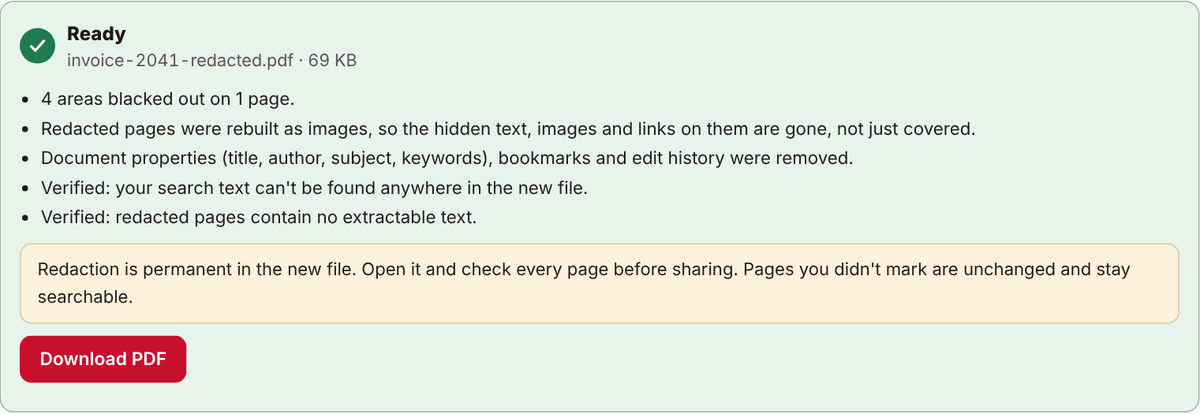
- Every page you mark is rebuilt as an image, so the covered text, images and links on that page are deleted, not just covered.
- Hidden document details, such as the title, author, bookmarks and edit history, are removed.
- When it's finished, the tool searches the new file to confirm your search text is gone.
- Pages you didn't mark are left exactly as they were, so they stay searchable.
A redaction checklist
- Search for every version of a name: full name, first name only, initials and email address.
- Look for numbers in more than one format, such as "4417 2290 1185" and "441722901185".
- Check headers, footers, page margins and signatures.
- Keep your original file, and send only the redacted copy.
- Open the redacted file and try to select the hidden text before you share it.
Common questions
Can I redact a scanned PDF?
Yes, by drawing boxes by hand. Scanned pages are pictures, so search can't find words on them.
Can redaction be undone?
Not in the new file. That's the point. Your original file is not changed, so keep it somewhere safe.
Is it safe to redact sensitive documents online?
Only if the document isn't uploaded. Don's Free PDF does everything in your browser, so the file never reaches a server.
Open Redact PDFFree, no sign-up. Your file stays on your device.