Why Is My PDF So Big? 5 Common Reasons and How to Shrink It
Updated · By Don · 4 min read
A two-page letter shouldn't need 4 MB, but it happens all the time, and then an email or upload form refuses the file. The cause is almost always the same: the pages are stored as pictures instead of text. Here are the five usual reasons a PDF gets big, how to tell which one you have, and how to shrink it for free.
Open Compress PDFFree, no sign-up. Your file stays on your device.
The short answer: pictures
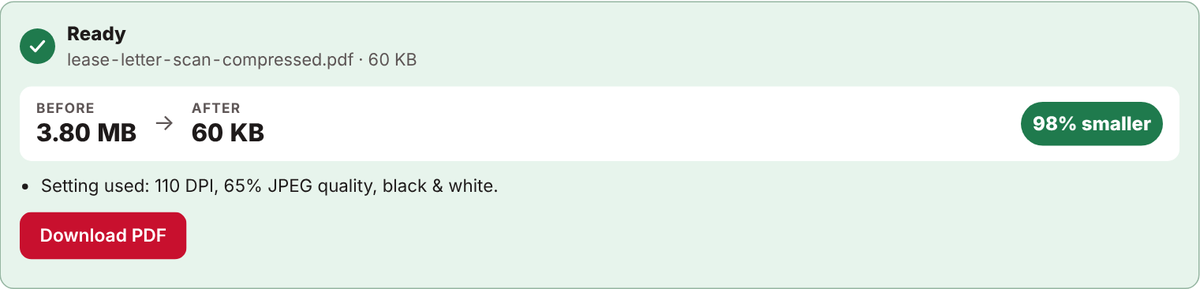
A PDF made from typed text is tiny, because it stores letters, not images. Our 8-page sample report, saved straight from a computer, is just 5 KB. A scanned page or a phone photo is different: the PDF stores a picture of the whole page, every dot of it. In the example below, a 2-page letter scanned in color came to 3.8 MB, hundreds of times bigger than the same words typed.
5 reasons your PDF is so big
- It was scanned in color. Scanning in color, even for a plain black-and-white letter, stores far more information per page. That's why the US federal courts' PACER help pages recommend scanning documents at 300 dpi in black and white, "so the file size will be as small as possible".
- It was scanned at a high resolution. A 600 dpi scan has four times as many dots as a 300 dpi scan of the same page, and 300 dpi is plenty for documents.
- It contains phone photos. Phone cameras are very detailed now. The iPhone 16, for example, can save 24 or 48 megapixel photos. A PDF made from a few full-size photos can quickly reach tens of megabytes.
- Several files were merged. Joining PDFs adds their sizes together. Three 5 MB scans make one 15 MB file.
- It carries fonts and extras. A PDF can include copies of the fonts it uses, plus attachments, form data and older versions of edited content. These usually add less than pictures do, but a document with many fonts or files tucked inside can still grow.
How to tell what's making your PDF big
- Try to select a word. If you can't, the page is a picture (a scan or photo). Compressing will shrink it a lot.
- If you can select text, the size usually comes from photos inside the document or from fonts. Start with the gentler Keep text setting.
- Divide the size by the number of pages. As a rough rule, more than about 1 MB per page means scans or photos.
How to make your PDF smaller, step by step
- Open Compress PDF on Don's Free PDF and choose your file. It opens in your browser and is never uploaded.
- Pick the setting that matches your file:
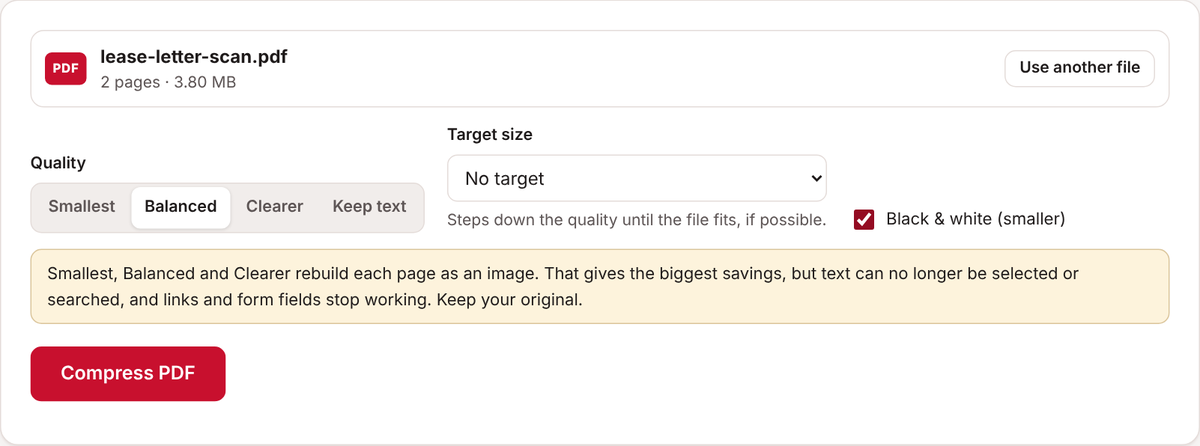
- Scanned letters, forms and receipts: leave Quality on Balanced and tick Black & white (smaller).
- Photos or color pages: leave Black & white off and use Balanced.
- Typed documents where text must stay selectable: choose Keep text.
- If an email or upload form has a limit, choose it under Target size.
- Click Compress PDF, check the before and after sizes, then click Download PDF.
- Open the new file and make sure every page is still easy to read. Keep your original.
How to make smaller PDFs from the start
- Scan documents in black and white or grayscale at 300 dpi. Save color for photos and color charts.
- When a document starts on a computer, save it straight to PDF (File, then Save as PDF or Export to PDF) instead of printing and scanning it.
- If you only need some pages, take them out first with Extract & split pages. See how to split a PDF.
Common questions
Will compressing make my PDF blurry?
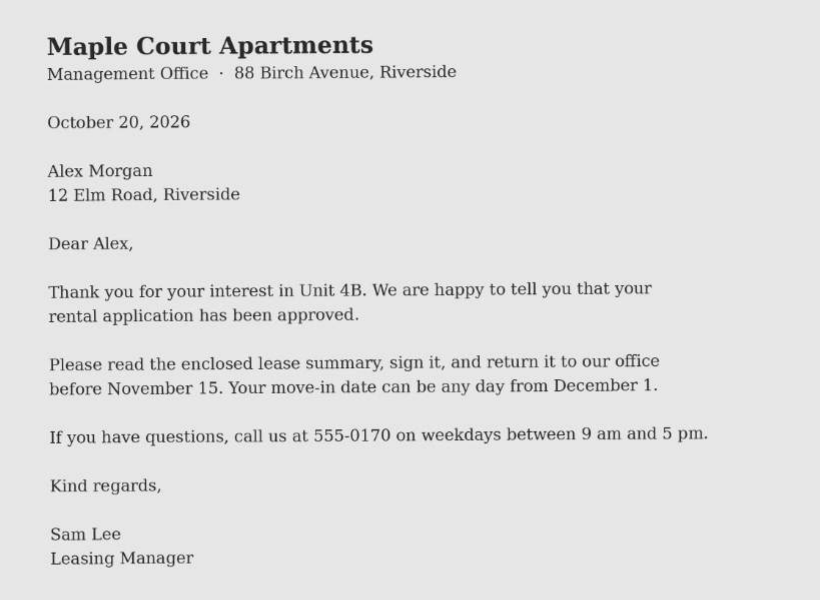
Strong settings lower the detail of each page, so always check the result. Text documents usually stay sharp, as in the example above. If a page looks rough, try Clearer instead.
Why did my PDF barely shrink?
It was probably made from typed text, which is already small, or it was compressed before. Check whether it really needs to be smaller, or split it into parts.
Can I still select or search the text afterwards?
With Keep text, yes. Smallest, Balanced and Clearer rebuild each page as an image, so text can no longer be selected or searched, and links and form fields stop working.
Is it safe to compress a private document?
Yes. Don's Free PDF compresses the file inside your own browser, so it never leaves your device.
Open Compress PDFFree, no sign-up. Your file stays on your device.